 AutoFile for Windows · runs entirely on your PC
Every document in its folder. Automatically.
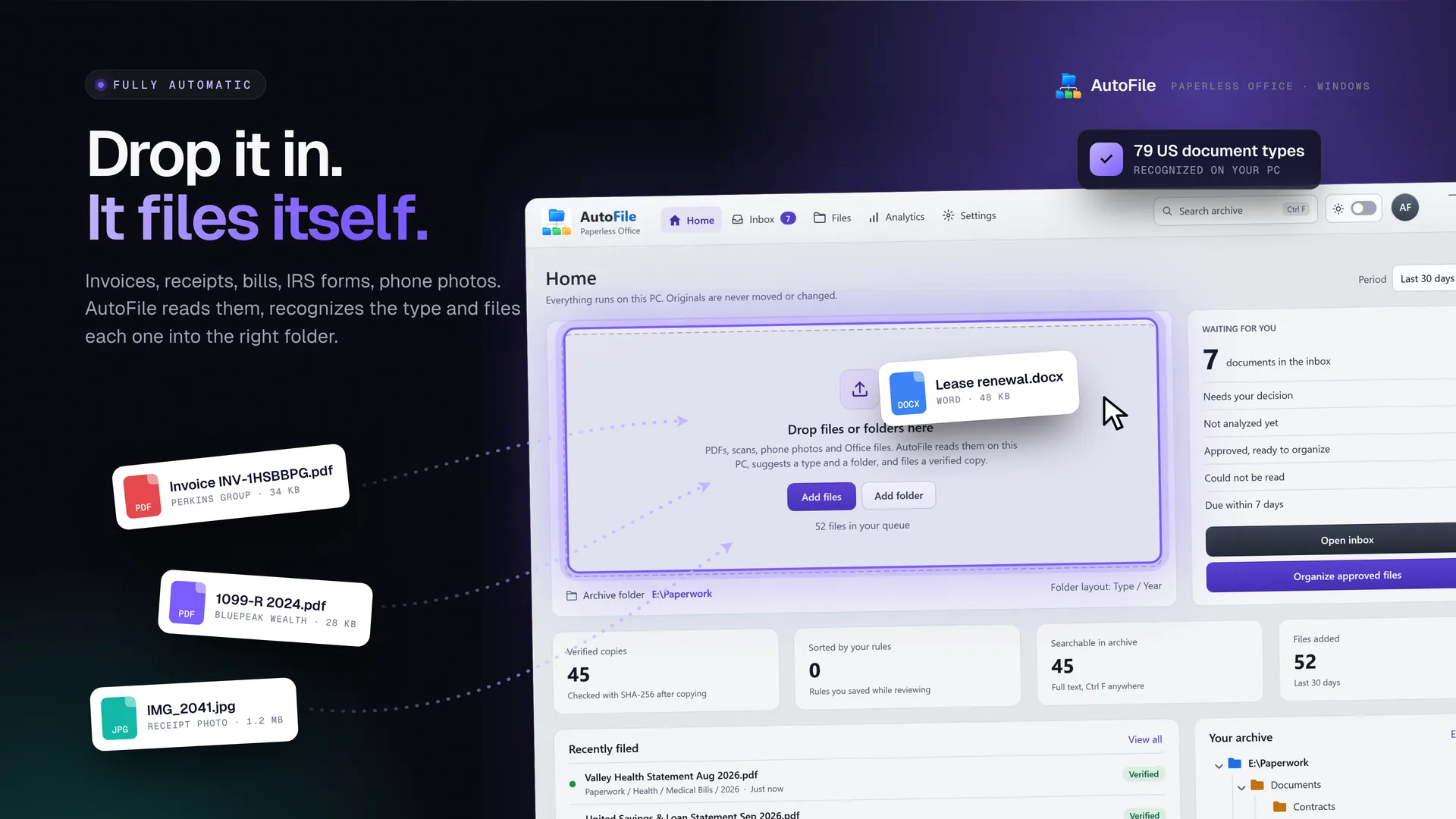
Scans, PDFs, phone photos and Office files go in. Named, sorted, searchable documents come out. Nothing is uploaded, ever.
For Windows 10 and 11
No account. No cloud.
 Store trailer
How it sorts
From “scan_0042.pdf” to a file you can find in five years.
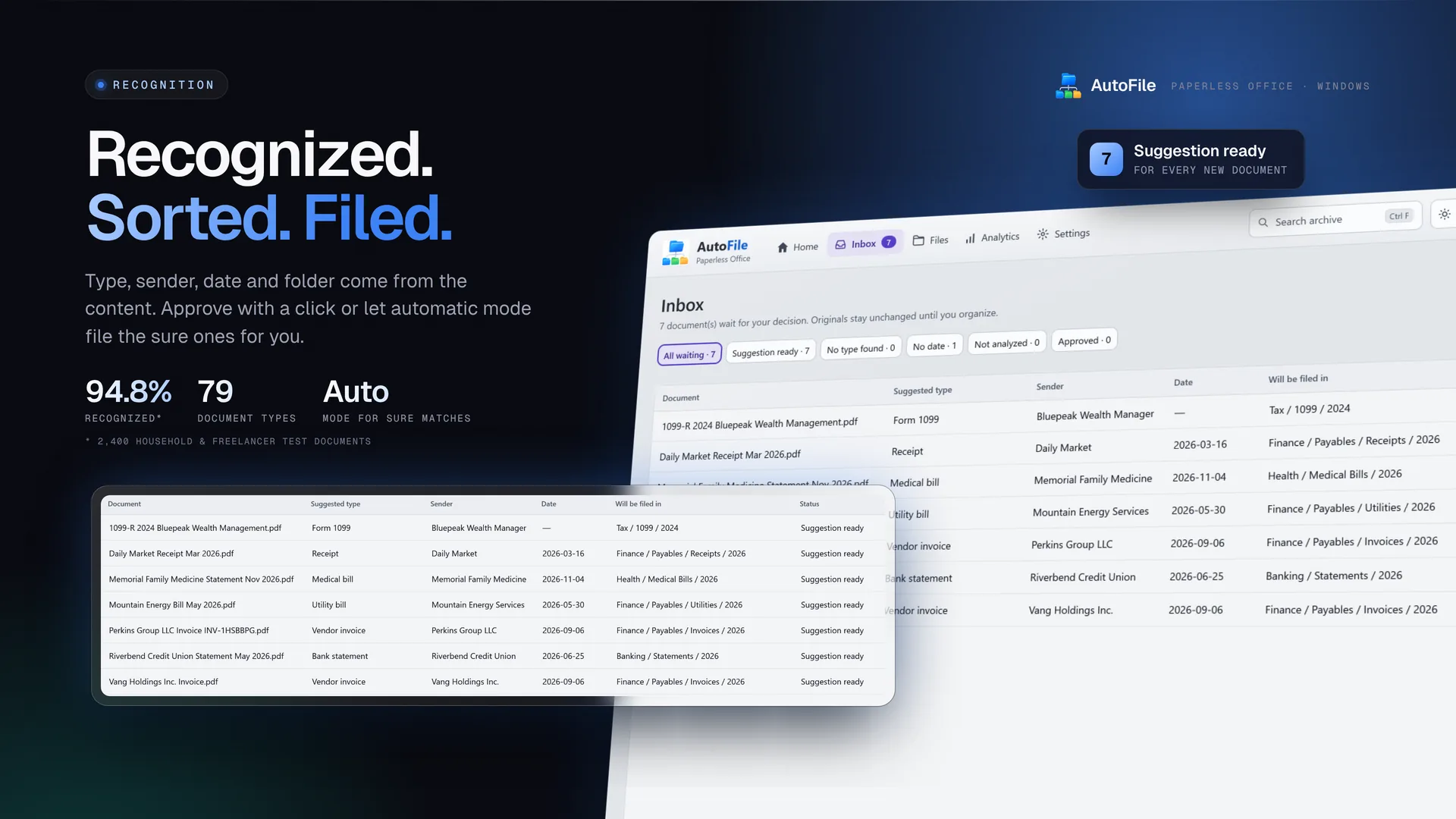
AutoFile reads each document, recognizes what it is, picks out the date, sender and number, and files it under a clear name.
What it handles
Built for the paperwork that actually piles up.
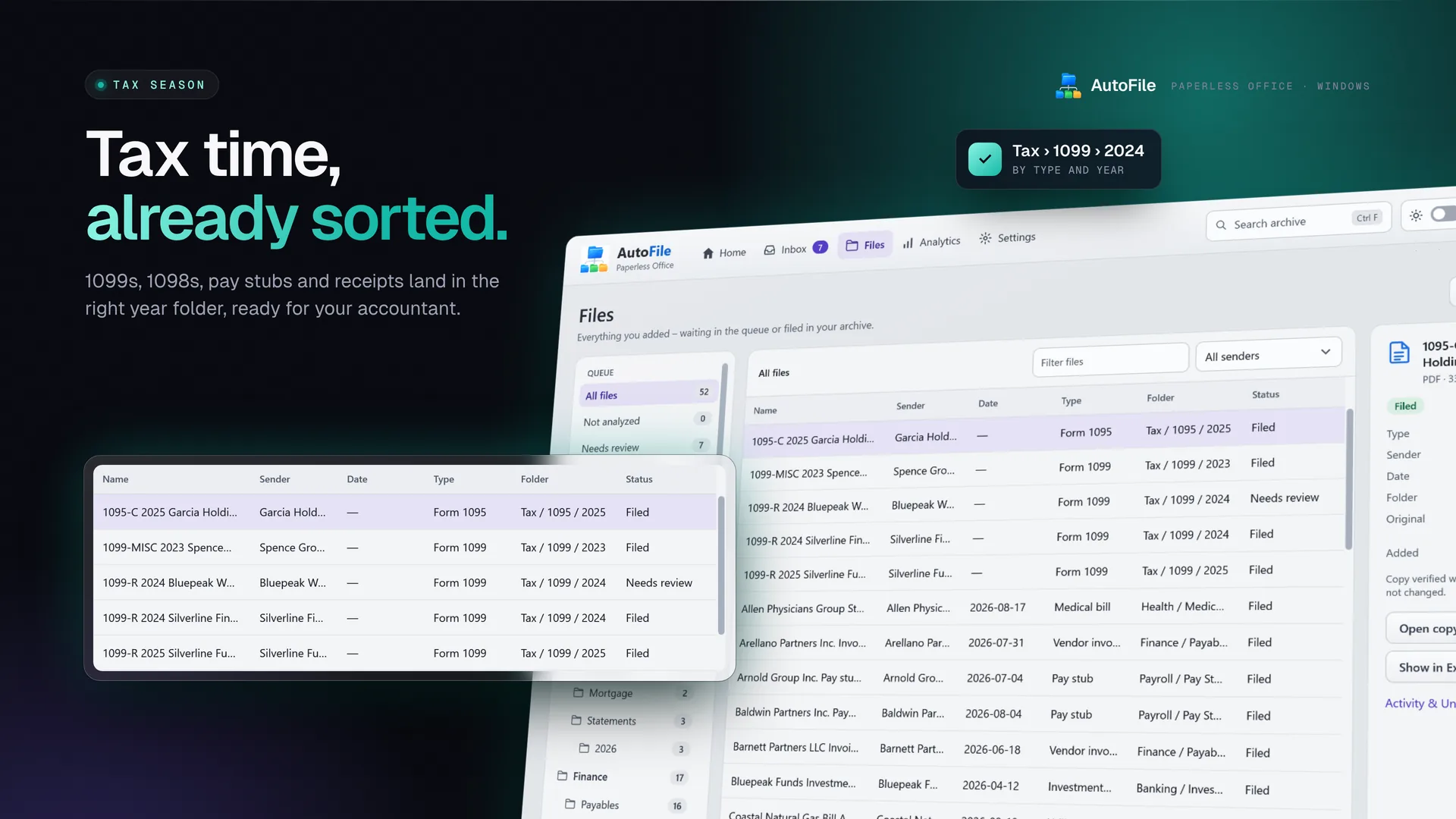
Invoices and receipts, bank and card statements, W-2s and 1099s, leases, insurance and medical bills. 79 document types, each with its own place.
Reads every scan
Built-in text recognition turns scans and phone photos into searchable PDFs with real text.
Files it where it belongs
Sorted into a clear folder plan, named like 2025-11-12_Acme Supply_Invoice.
Knows the tax year
A 1099 for 2025 that arrives in February 2026 is filed under 2025, not under the day it came.
Finds anything
Search by any word inside a document, even in a photo of a receipt.
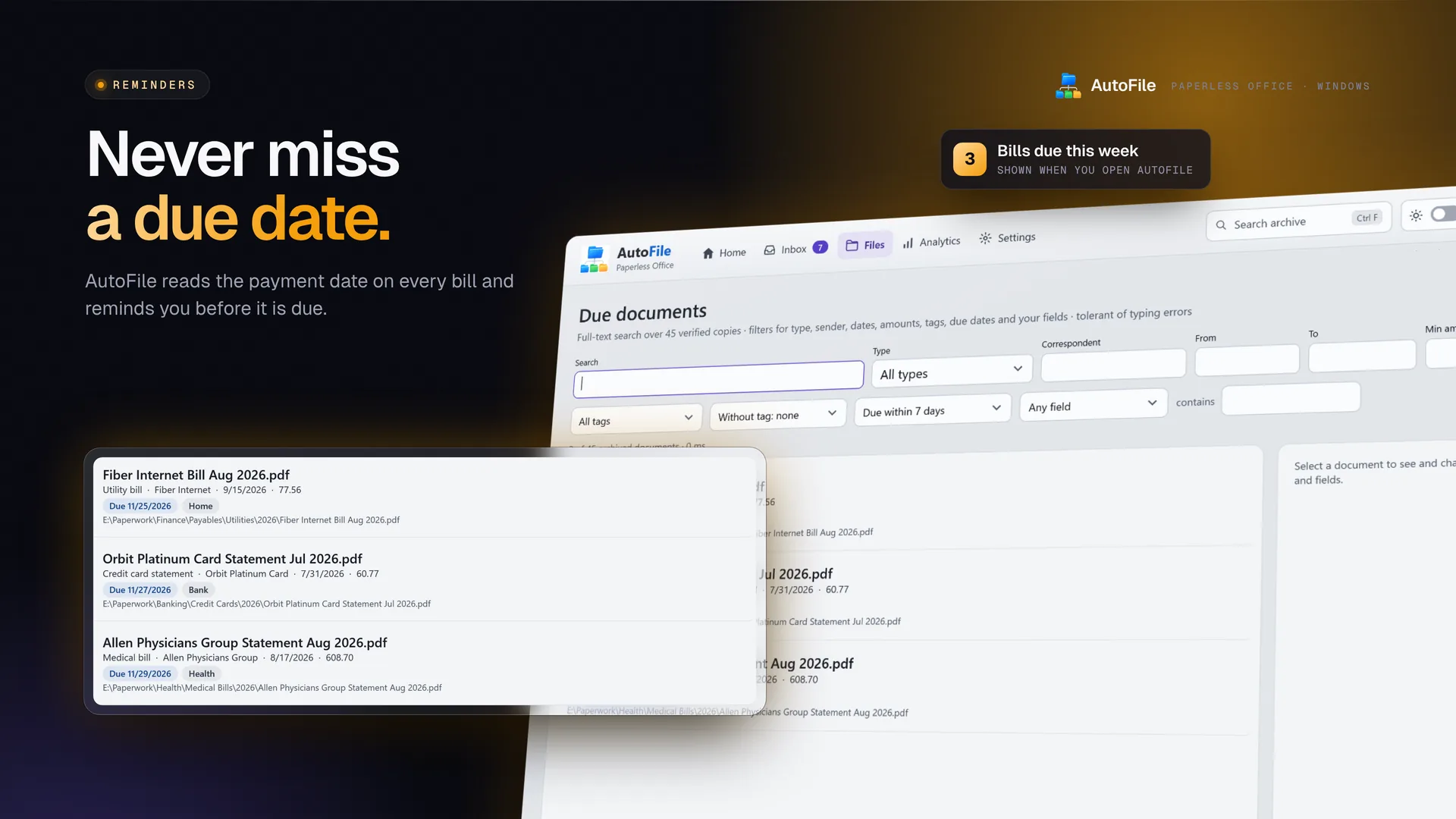
Spots due dates
Bills and notices with a deadline show up, so nothing sits unnoticed in a folder.
You stay in charge
Unsure cases wait for your review. Undo, backup and export are always one click away.
Private by design
Your tax forms and medical bills never leave your PC.
Most smart document tools upload your files to read them. AutoFile ships with its own recognition models and does all the work on your computer. It even works with the network unplugged.
- Text recognition (OCR)On your PC
- Recognizing and namingOn your PC
- Search indexOn your PC
- Account or sign-inNone
- Upload to a serverNever
The app
See AutoFile at work.
How it works
From pile to folder in four steps.
Add
Drop in scanner output, downloads, phone photos or email attachments.
Read
AutoFile reads the text, even from scans and photos.
Recognize
It finds the type, date, sender, amount and due date.
File
Named and filed into your folders. Undo any time.
Ready to clear the pile?
Get AutoFile from the Microsoft Store and file your first stack of documents in minutes.
Get it fromMicrosoft Store